Never Lose Internet: Your Off-Grid Backup Game Plan
Losing internet can be a real pain, especially when you rely on it for work, staying in touch, or just unwinding. When the power goes out, your connection usually does too. But what if there was a way to keep things running? This guide is all about setting up a solid off grid internet backup plan so you’re not left in the dark (or offline) when the unexpected happens. We’ll cover what you need, how to pick the right gear, and some simple tricks to make your backup last.
Key Takeaways
- Figure out how much power your modem, router, and other network gear actually use, and decide how long you want your backup to last.
- Uninterruptible Power Supplies (UPS) are good for short outages, while portable power stations offer longer runtimes for more extended power loss.
- You can save power by turning off things like 5 GHz WiFi, pausing automatic updates, and disconnecting devices you don’t need right away.
- Make sure your phone and 911 service will still work by powering your ONT and router, and consider if your phone uses fiber for calls.
- Regularly test your backup system, keep batteries healthy, and always have portable power stations charged up so they’re ready when you need them.
Understanding Your Off-Grid Internet Backup Plan Needs
So, the power goes out. It happens, right? Maybe it’s a quick blip, or maybe it’s one of those longer outages that really messes with your day. If you work from home, or just really hate being disconnected, you’ve probably started thinking about how to keep your internet running when the lights go out. It’s not as complicated as it sounds, but you do need to figure out what you actually need before you start buying gear.
Assessing Power Requirements for Network Gear
First things first, let’s talk about what your internet gear actually uses. Your modem (or ONT for fiber) and your router are the main power hogs for your internet connection. You can usually find the power draw listed on a sticker on the device itself. It’ll often show volts (V) and amps (A). To get the wattage, you just multiply those two numbers (Watts = Volts × Amps). For example, a router that needs 12V and 1A is using 12 watts. If you want to be super precise, you could use a device like a Kill A Watt meter to measure the actual power consumption. You’ll need to add up the wattage of all the devices you want to keep powered during an outage to get a total power requirement. This number is key for picking the right backup solution.
Determining Your Ideal Backup Runtime
Now, how long do you actually need your internet to stay on? Think about the typical outages in your area. Are they usually just a few hours, like during a thunderstorm? Or do you sometimes deal with longer stretches without power, maybe overnight or even for a day or more?
- Short Outages (2-4 hours): Good for most common power flickers.
- Medium Outages (8-12 hours): Covers overnight storms or longer grid issues.
- Extended Outages (24+ hours): Important for rural areas or during severe weather prep.
The longer you want your internet to last, the bigger and more powerful your backup system will need to be. It’s always a good idea to aim for a bit more runtime than you think you’ll need, just to be safe. For folks in rural areas, looking into specific tips for rural internet outage preparedness can be really helpful.
Matching Solutions to Your Outage Goals
Once you know how much power your gear needs and for how long, you can start looking at solutions. For short, everyday power hiccups, a simple Uninterruptible Power Supply (UPS) designed for modems and routers is often enough. These are pretty straightforward to set up. If you’re anticipating longer outages, you might need something more robust, like a portable power station. These offer more capacity and can power multiple devices. Generators are another option, but they come with their own set of considerations like fuel and noise. The goal is to pick a system that directly addresses the length and frequency of outages you’re most concerned about.
Planning ahead means you won’t be scrambling when the power finally gives out. It’s about making sure your connection stays alive, even when the grid doesn’t.
When you’re thinking about backup power, remember that your fiber internet itself relies on local power for your equipment. Unlike old copper phone lines that could sometimes get power from the phone company’s end, fiber optic cables transmit light, not electricity. So, even if the provider’s network is up and running, your home internet will go down without local power for your ONT and router. This is why having a solid backup plan for your home network gear is so important for maintaining reliable connectivity.
Choosing the Right Backup Power Solutions
When the lights go out, keeping your internet humming is often a top priority. But not all power backup systems are created equal. You’ve got a few main players in the game, each with its own strengths for different kinds of outages. Let’s break down the most common backup connectivity solutions.
Uninterruptible Power Supplies (UPS) for Short Outages
Think of a UPS as a smart power strip with a built-in battery. It’s your first line of defense against those quick power flickers or short blackouts that last maybe an hour or two. You plug your modem and router directly into it, and if the power cuts, the UPS kicks in instantly. Your devices won’t even know there was an interruption. It’s a pretty simple, set-it-and-forget-it kind of deal. Plus, many UPS units also offer surge protection, which is a nice bonus to keep your gear safe from power spikes when the electricity comes back on.
Portable Power Stations for Extended Reliability
For longer outages, a UPS might not cut it. That’s where portable power stations come in. These are basically big, rechargeable battery packs with outlets. They pack a lot more punch than a UPS, often running your network gear for many hours, sometimes even a full day. They’re super versatile, too. You can power your internet, charge phones and laptops, and even run a small light. When picking one, pay attention to its power output (look for "Pure Sine Wave" for sensitive electronics) and its capacity (measured in Watt-hours, or Wh). A good rule of thumb is to get a bit more capacity than you think you’ll need. Some of these high-capacity units, like the Jackery Explorer 1000 V2, can be a real lifesaver.
Generators vs. Battery Power for WiFi
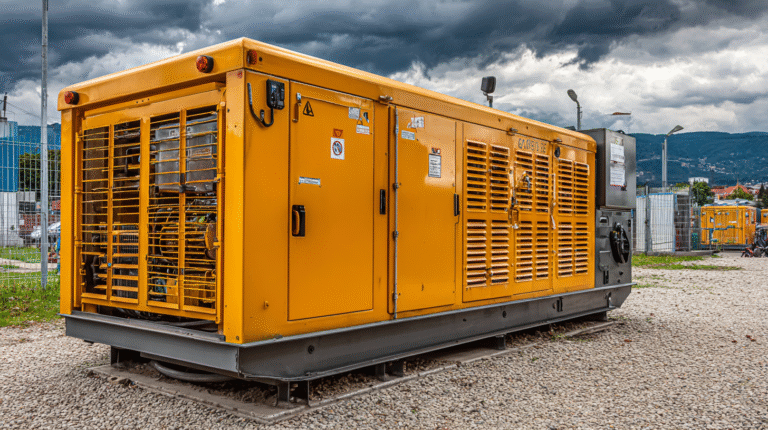
Generators are the heavy hitters. They can keep your power on for days, as long as you have fuel. Inverter generators are quieter and cleaner for electronics than traditional ones. However, they need fuel, can be noisy, and produce exhaust, so they can’t be run indoors. For a quieter, indoor-friendly option that still offers significant runtime, a large portable power station can be a great alternative, especially if you’re not looking to power your entire house. It really comes down to how long you expect the outage to last and what kind of setup you’re comfortable with. Remember, even with the best power backup, your internet service itself might still go down if the problem is outside your home. Checking your ONT status lights is key to figuring out if the issue is local or with your provider.
Keeping your network gear powered is only part of the puzzle. You also need to consider how long your backup will last. A small UPS might cover a brief flicker, but for extended outages, you’ll need a more robust solution like a portable power station. Matching your backup power to your expected outage duration is key to staying connected when it matters most. This is where sizing your battery backup becomes really important.
Here’s a quick look at how they stack up:
- UPS: Best for short outages (1-4 hours), automatic switchover, provides surge protection.
- Portable Power Station: Good for medium to long outages (8+ hours), versatile, quiet, can power multiple devices.
- Generator: Best for very long outages (days), requires fuel, can be noisy, needs outdoor operation (for gas models).
Optimizing Your Network for Extended Uptime
So, you’ve got your backup power sorted, but how do you make sure it lasts as long as possible? It’s not just about having a big battery; it’s about being smart with your network. Think of it like packing for a long trip – you want to bring only what you truly need and use it wisely.
Reducing Power Consumption Through Settings
Your router and other network gear can be surprisingly power-hungry, especially when running at full tilt. A few simple adjustments can make a big difference. Turning off the 5 GHz band on your WiFi, for instance, can shave off a good chunk of power usage. Many devices don’t even need that faster band, and disabling it means your router works a bit less. You can also often lower the transmit power of your WiFi signal. Unless you have a massive house, you probably don’t need the signal blasting at maximum strength. Pausing automatic updates for devices, stopping cloud backups from running, and disconnecting any smart home gadgets you aren’t actively using can also free up precious watts. If you’re really trying to stretch your backup power, consider turning off WiFi altogether and just using a wired connection for the device you need online.
- Turn off 5 GHz WiFi band.
- Lower WiFi transmit power.
- Pause automatic updates and cloud backups.
- Disconnect non-essential smart devices.
Even a small reduction in power draw, like 10-20 watts, can add hours to your backup runtime. It’s all about making every watt count when the grid goes down.
Prioritizing Essential Devices
When the power goes out, not everything on your network is equally important. You need to decide what absolutely must stay online. Your work laptop, the router itself, and the Optical Network Terminal (ONT) for your fiber connection are usually top priorities. These are the core components that keep your internet service running. Other things, like smart TVs, game consoles, streaming devices, and even some smart cameras, can probably wait. Disconnecting these non-essential items frees up power for what matters most. If your main internet connection goes down, a mobile hotspot on your phone can be a lifesaver for critical tasks, acting as a secondary option.
Leveraging Wired Connections Over WiFi
While WiFi is convenient, it’s not always the most power-efficient option. Using a wired Ethernet connection directly from your router to your laptop or other device can often use less power than WiFi. It also tends to provide a more stable and faster connection, which is a nice bonus when you’re relying on limited backup power. If you’re trying to conserve every last bit of battery life on your devices, plugging in directly is a smart move. Keep a spare Ethernet cable handy; it’s a simple but effective way to manage your connectivity during an outage and can extend the life of your backup power significantly. This is especially true if your fiber internet is still working but your WiFi router is on a limited battery. Wired connections are generally more reliable.
Essential Components for Your Backup System
When the power goes out, your internet gear needs juice to keep running. This means thinking about what exactly needs power and how you’ll provide it. It’s not just about the router; your Optical Network Terminal (ONT), which is the box that brings the internet signal into your home, also needs power. For many, especially those with Voice over IP (VoIP) phone service, this equipment is a lifeline for both internet and 911 calls.
Powering Your ONT and Router
Your ONT and router are the heart of your home network. They’re usually low-power devices, but they still need a steady stream of electricity. The power label on these devices will tell you what they need, often listed in volts and amps. Multiply those two numbers to get the wattage. For example, a device needing 12 volts and 1 amp uses 12 watts. You’ll need to add up the wattage for all the devices you want to keep powered during an outage. A small Uninterruptible Power Supply (UPS) is often enough for just the ONT and router, providing a few hours of backup. These are pretty straightforward to set up – just plug your devices into the UPS and the UPS into the wall. It’s like a mini battery for your network gear.
Ensuring Voice and 911 Service Availability
If you use your internet for phone calls (VoIP), losing power means losing your phone service, including emergency 911 calls. This is a big deal. Many ONTs have a slot for a small battery backup specifically for voice services. If yours doesn’t, an external UPS can power both your ONT and router, keeping your phone line active. It’s critical to know if your phone service relies on this equipment. A corded phone is also a good idea, as cordless phones often need AC power to work. Testing your VoIP connection on the backup system occasionally is a smart move to make sure it’s ready when you need it.
Understanding Fiber vs. Copper Line Power
This is where things get a bit technical, but it’s important. Unlike old copper phone lines that could carry power from the phone company’s central office, fiber optic cables don’t transmit electricity. They send light signals. This means your ONT, router, and any Wi-Fi extenders rely entirely on local power. When the grid goes down, your home network equipment goes down with it, unless you have a backup power source. This is a key difference to remember when planning your off-grid internet backup. You’re responsible for powering your end of the connection. A modest investment in a UPS or portable power station, often between $80 and $400, can keep your internet, voice, and emergency systems running through common outages.
Maintaining Your Off-Grid Internet Backup Plan
So, you’ve got your backup power sorted for your internet gear. That’s awesome! But just like anything else, this stuff needs a little TLC to make sure it’s actually going to work when you really need it. Think of it like keeping a spare tire in your car – it’s no good if it’s flat!
Regular Testing and Battery Health Checks
This is probably the most important part. You can’t just set it and forget it. You need to periodically test your backup system to confirm it’s ready for action. It doesn’t have to be a huge ordeal. A simple test involves unplugging your main power source for a few minutes and checking if your router and modem stay on. This helps you get a feel for how long your current setup will last and catches any issues before a real emergency hits. For UPS units, pay attention to their battery health indicators. Most batteries don’t last forever, and knowing when to replace them is key to reliable internet when off-grid.
- Monthly Quick Test: Unplug your primary power and verify your network gear stays online.
- Quarterly Deeper Test: Let the system run for a longer period to gauge actual runtime.
- Battery Replacement: Note the age of your UPS or power station batteries; they typically need replacing every 3-5 years.
Proper Storage of Backup Equipment
Where you keep your backup gear matters. Extreme temperatures, whether hot or cold, can really mess with battery performance and lifespan. It’s best to store your UPS units and portable power stations in a cool, dry place, away from direct sunlight. This helps keep the batteries in good shape for longer. If you’re thinking about emergency internet for rural areas, having equipment that’s stored correctly means it’s more likely to perform when you need that remote internet access strategies.
Storing your backup power solutions in a stable environment, like a closet or basement, away from the elements, will significantly prolong their operational life and readiness.
Keeping Portable Power Stations Charged
If you’re using a portable power station, it’s a bit different from a UPS that’s always plugged in. You don’t want to store these completely dead. It’s a good idea to keep them at least partially charged, maybe around 50-80%. After you use it during a test or an actual outage, make sure to recharge it fully as soon as you can. This practice helps maintain the battery’s overall health and ensures it’s ready for the next time the power goes out. This is especially important if you rely on satellite internet during power outage scenarios.
- Storage Charge: Aim for 50-80% charge when not in use.
- Post-Use Recharge: Always recharge fully after any discharge.
- Periodic Top-Up: If stored for very long periods, give it a top-up charge every few months.
Alternative Connectivity and Local Support

Utilizing Mobile Hotspots as a Secondary Option
When your main internet connection goes dark, your smartphone can often be your first line of defense. Most modern phones can act as a mobile hotspot, essentially turning your phone’s cellular data into a Wi-Fi signal for other devices like laptops or tablets. This is a fantastic way to keep essential tasks going, like checking email or sending quick messages. Just remember to keep an eye on your data plan limits, as streaming video or large downloads can eat through your allowance fast. Also, cell signal strength can be a real issue, especially if you’re in a basement or a rural area. It’s a good backup, but not always a perfect replacement for your home internet.
Exploring Provider-Specific Backup Services
Some internet providers offer their own solutions for outages. While not always advertised heavily, it’s worth checking with your provider to see if they have any built-in backup options or recommendations. For instance, some might have community Wi-Fi hotspots or specific plans designed for extended outages. It’s also a good idea to understand what they do on their end. Many providers have battery and generator systems for their neighborhood equipment, but severe weather can still cause disruptions. Knowing what your provider offers can help you fill in the gaps in your own backup plan. You might find some off-grid internet providers that focus on reliability.
The Value of Local Expertise for Outage Planning
Sometimes, the best advice comes from people who know your local area and its specific challenges. Local internet providers or tech support shops often have a better grasp of common outage causes in your region, whether it’s frequent power grid issues or weather-related problems. They can offer tailored advice on the best backup power solutions for your specific setup, like helping you figure out the right size UPS for your router and ONT. They understand the local conditions and can recommend equipment that’s proven to work well in your climate. Don’t underestimate the power of a quick chat with someone who’s seen it all before; they can save you a lot of guesswork and frustration when planning for the unexpected.
- Check your ONT status lights: These can tell you if the problem is with your home equipment (PWR light off) or with the provider’s network (PON red/blinking or LOS lit).
- Understand fiber vs. copper: Fiber optic lines don’t carry power, unlike older copper phone lines. This means your fiber internet equipment needs its own local power source during an outage.
- Consider a wired connection: If you need to conserve power on your backup system, plugging a laptop directly into the router via an Ethernet cable can be more efficient than using Wi-Fi.
Planning for internet outages isn’t just about having a backup power source; it’s about having a layered approach. Combining a mobile hotspot, understanding your provider’s capabilities, and seeking local advice creates a more robust plan for staying connected when the grid goes down.
Don’t Get Left in the Dark (or Offline)
So there you have it. Keeping your internet running when the power goes out isn’t some futuristic dream; it’s totally doable with a bit of planning. Whether it’s a simple battery backup for your router or a more robust setup, taking these steps means you won’t be completely cut off when the unexpected happens. Think of it as a small investment for a lot of peace of mind. Go ahead, get your backup plan in place – your future self will thank you.
Frequently Asked Questions
Do fiber optic cables carry electricity?
No, fiber optic cables use light to send information, not electricity. This means your modem, router, and Wi-Fi won’t work during a power outage unless you have a backup power source for them, even if the main internet lines have power.
Will my internet provider keep their equipment running during an outage?
Usually, yes. Internet companies often have backup batteries and generators for their main equipment and local network hubs. However, severe weather or widespread issues can still interrupt your service.
Is using my phone as a hotspot a good backup internet option?
Yes, a mobile hotspot is a great emergency backup for internet access when your main connection is down. Just be mindful of your data limits and how strong your cell signal is, especially inside your home.
How long can a battery backup (UPS) power my modem and router?
It depends on the battery size and how much power your devices use. A small battery might last an hour or two, while a larger one could keep things running for several hours. High-power routers or mesh systems will drain the battery faster.
What happens if my internet is still out even after the power comes back on?
Sometimes, power surges during an outage can damage your equipment. Try restarting your router and modem. If that doesn’t work, your equipment might need repair or replacement, or there could still be a larger issue with your internet provider’s network.
How can I protect my internet gear from electrical damage during power restoration?
When the electricity comes back on after an outage, there can be a sudden surge of power. To protect your router and modem, plug them into a good quality surge protector. This can prevent a power surge from frying your hardware.