
Small Biz Power Outage Plan: Stay Open When the Lights Go Out!
Okay, so, power outages. They happen, right? Whether it’s a storm rolling through or some issue with the local grid, the lights can go out. For small businesses, this isn’t just an inconvenience; it can really mess things up. You might lose product, data, or just plain stop making money. That’s why having a solid emergency power plan for your small business is super important. It’s not about being paranoid; it’s about being ready so you can keep things running, or at least bounce back fast when the power comes back on.
Key Takeaways
- Figure out what parts of your business would be most hurt by losing power and what could go wrong.
- Make a plan for how things will work when the electricity is out, including who does what.
- Look into getting backup power, like generators or UPS systems, to keep important stuff running.
- Make sure your important business files are backed up somewhere safe, not just on your office computer.
- Have ways to talk to your team and customers when normal communication might be down, and think about backup suppliers too.
Develop Your Emergency Power Plan for Small Business
When the lights go out, it’s not just an inconvenience; it can be a serious threat to your business operations. Thinking about how to prepare for a blackout small business is something every owner should do. It’s about more than just having a backup generator; it’s about a whole strategy. This section focuses on getting that plan started, looking at what could go wrong and what absolutely needs to keep running.
Assess Your Business Vulnerabilities
Every business is different, and so are its weak spots. For a small shop, losing power during the holiday rush could mean losing a huge chunk of annual sales. A restaurant might worry about spoiled food. A tech startup could be more concerned about losing critical data. You need to figure out what’s most likely to hit your business and what would hurt the most. Think about your physical location – are you in an area prone to storms? What about your equipment – is it old and unreliable? And don’t forget your digital side – how secure is your data?
- Identify critical business functions: What tasks must continue, even with limited power?
- Map dependencies: What systems or people are needed for those critical functions?
- Evaluate physical risks: Consider location, building structure, and local environmental threats.
- Analyze digital risks: Assess data security, hardware reliability, and software dependencies.
Understand Potential Risks and Threats
Power outages aren’t the only thing that can shut you down. It could be a cyberattack, a natural disaster, or even a problem with your internet service provider. For emergency preparedness for commercial buildings, it’s smart to think broadly. What are the most common issues in your area? What kind of disruptions have affected similar businesses nearby? Sometimes, the biggest risks aren’t the obvious ones. A simple burst pipe can cause major damage and downtime, just like a hurricane. It’s about looking at the whole picture.
A proactive approach means anticipating a range of scenarios, not just the most dramatic. Consider everything from localized equipment failure to widespread grid instability. The goal is to build resilience against a spectrum of potential disruptions.
Identify Essential Business Functions
Okay, so you know what could go wrong. Now, what absolutely has to keep going for your business to survive? For some, it’s taking customer orders. For others, it’s processing payments or keeping sensitive data secure. You might need to keep your phone lines open or maintain a specific temperature for inventory. List out these core functions. Be specific. Instead of ‘customer service,’ think ‘answering urgent customer inquiries via phone’ or ‘processing online orders.’ This list will be the backbone of your entire emergency plan. It helps you focus your resources where they matter most during a crisis. For example, understanding your daily energy consumption patterns can help prioritize which functions need immediate backup power.
| Function | Criticality Level | Backup Power Needed? | Notes |
|---|---|---|---|
| Point-of-Sale System | High | Yes | For processing payments |
| Customer Phone Lines | Medium | Yes | For urgent inquiries |
| Server/Data Storage | High | Yes | To prevent data loss |
| Lighting (Work Areas) | Medium | Yes | For safety and continued operations |
| HVAC System | Low | No | Non-essential during short outages |
Create a Robust Business Continuity Strategy
When the lights go out, your business doesn’t have to. Having a solid plan in place means you can keep things running, or at least recover quickly. It’s not just about having a backup generator; it’s about thinking through every part of your operation and figuring out how it keeps going when the power is gone. This is where your business continuity strategy comes in. It’s your roadmap for staying afloat during unexpected disruptions.
Outline Operations During Disruptions
Think about what absolutely must keep happening for your business to survive. For a retail shop, maybe it’s processing payments or keeping the refrigerators running. For an office, it might be answering customer calls or accessing critical files. You need to map out how these essential functions will be handled when the usual power source is out. This might involve shifting to battery-powered devices, using manual processes, or even temporarily relocating certain tasks.
Consider these points:
- Identify critical functions: What tasks are non-negotiable for your business to operate?
- Determine downtime tolerance: How long can each critical function be offline before it causes serious damage?
- Develop workarounds: What manual or alternative methods can be used if systems are down?
A well-thought-out plan doesn’t just sit in a binder. It’s a living document that gets reviewed and practiced. It’s the difference between chaos and controlled response when the unexpected happens.
Define Essential Personnel and Roles
Who is going to do what when the power fails? You need to know exactly who is responsible for each part of your continuity plan. This isn’t just about having a list of names; it’s about assigning specific tasks and making sure those people know they have the authority to act. Think about who needs to be on-site, who can work remotely, and who has the decision-making power to keep things moving.
Here’s a quick breakdown:
- Key decision-makers: Who has the final say during an emergency?
- Operational leads: Who is in charge of specific functions like IT, customer service, or logistics?
- Communication point persons: Who will be the main contact for employees, customers, and suppliers?
Document Step-by-Step Procedures
This is where you get down to the nitty-gritty. For each critical function and role, you need clear, simple instructions on what to do. These procedures should be easy to follow, even under stress. Think of them as checklists or flowcharts that guide your team through the emergency. Having these documented means less guesswork and a more organized response. It’s about making sure everyone knows their part and how to execute it without missing a beat. You can find resources on sizing backup power systems that might help inform what you need to keep running.
Your procedures should cover:
- Shutdown protocols: How to safely power down equipment.
- Activation of backup systems: Steps for turning on generators or UPS units.
- Communication protocols: How to reach employees and stakeholders.
- Manual operation guides: Instructions for tasks that can be done without power.
Having local backup power systems ready is a big part of this, but the procedures tell you how and when to use them effectively.
Invest in Backup Power Solutions
When the power goes out, your business doesn’t have to grind to a halt. Thinking about backup power is a smart move for any small business. It’s not just about keeping the lights on; it’s about keeping your operations running, your customers served, and your revenue coming in. There are a few main ways to tackle this, and the best approach often involves a mix of solutions.
Evaluate Uninterruptible Power Supplies (UPS)
For those critical electronics like computers, servers, and point-of-sale systems, an Uninterruptible Power Supply (UPS) is your first line of defense. A UPS is essentially a battery backup that kicks in instantly when the main power fails. This gives you enough time to save your work and shut down systems properly, preventing data loss and hardware damage. Think of it as a temporary bridge until a larger power source can take over or until the grid power is restored.
- Key Benefits:
- Instantaneous power transfer
- Protects sensitive electronics from surges and brownouts
- Allows for graceful system shutdown
- Provides short-term power for critical devices
Determine Generator Needs and Sizing
If your business needs to keep running for longer periods, or if you have equipment that draws a lot of power (like refrigeration units in a restaurant or machinery in a workshop), a generator is likely necessary. Choosing the right generator involves understanding your total power needs. You’ll need to list out everything you want to power during an outage – from lights and computers to specialized equipment. This isn’t a one-size-fits-all situation; a small office will have very different needs than a manufacturing plant. Sizing is usually measured in watts, and it’s often wise to oversize slightly to handle unexpected loads.
| Item to Power | Estimated Wattage | Quantity | Total Watts | Notes |
|---|---|---|---|---|
| Office Computers | 150 W | 5 | 750 W | Includes monitors |
| Network Router/Switch | 50 W | 1 | 50 W | |
| Lighting (LED) | 20 W | 10 | 200 W | |
| Refrigerator | 150 W (running) | 1 | 150 W | Startup surge higher |
| Total Estimated Load | 1150 W | Add buffer for startup surges |
Don’t just guess your power needs. Consult with an electrician or a generator supplier to get an accurate assessment. They can help you calculate the total wattage required, including the surge capacity needed for equipment that draws extra power when starting up.
Explore Fuel Options for Generators
Generators run on fuel, and you need a plan for that too. Common options include gasoline, diesel, propane, and natural gas. Each has its pros and cons regarding availability, storage, cost, and runtime. For example, propane and natural gas generators can run as long as the supply lasts, while gasoline and diesel require you to have a stored supply on hand. Having a reliable fuel source is just as important as having the generator itself. If you’re considering a generator, look into options like backup power solutions that offer straightforward installation and transparent costs. For businesses looking at more sustainable options, integrating a solar backup system can also cut energy expenses and reduce grid dependence.
Implement Data Protection and Recovery Protocols
Secure Offsite and Cloud Data Backups
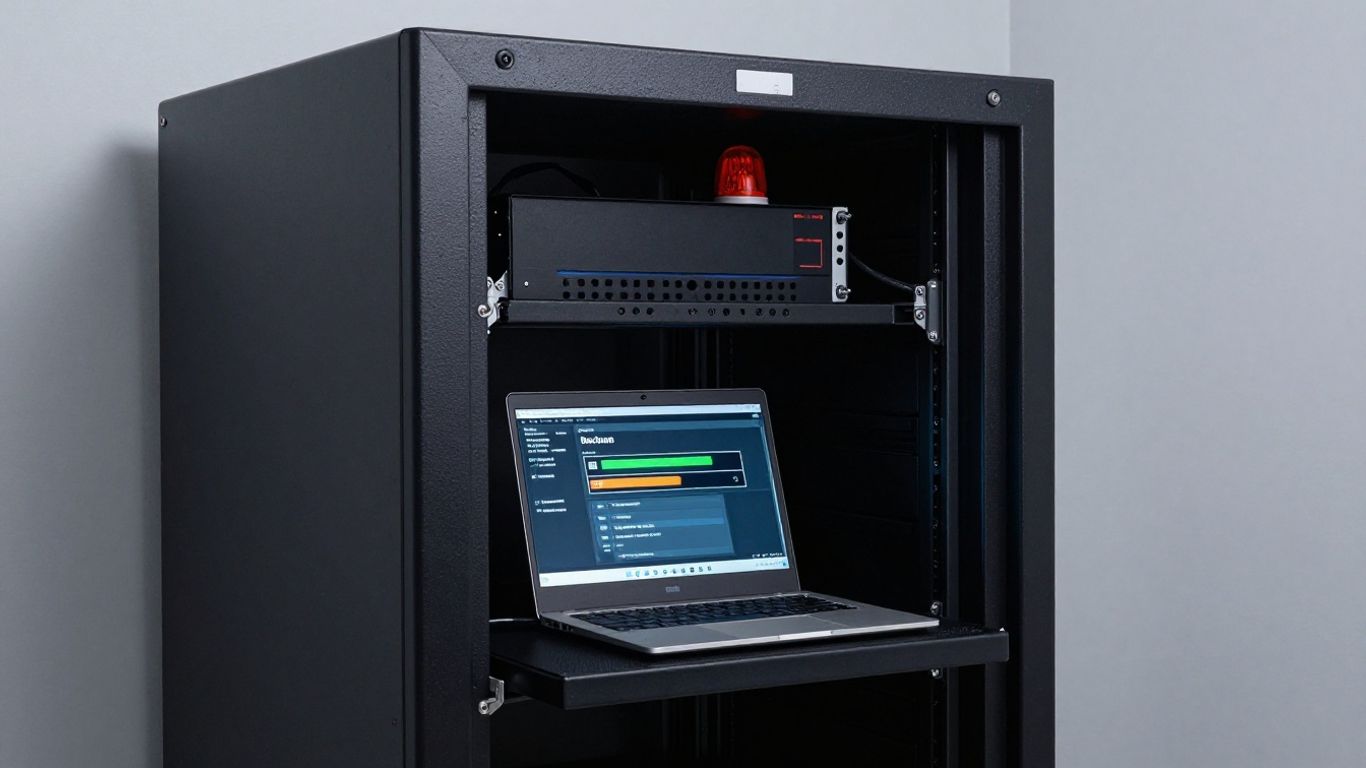
Losing your business data can be a real nightmare, especially when the power goes out. Think about all those client records, financial reports, and project files. If they’re only stored on computers in your office, a power outage could mean they’re inaccessible, or worse, lost forever if there’s any physical damage. Regular, automated backups stored securely offsite or in the cloud are your lifeline. This means even if your office is dark, your data is safe and sound somewhere else. It’s like having a spare key to your business information, ready whenever you need it. Setting up automatic backups means you don’t have to remember to do it – it just happens. This is a key part of any good IT disaster recovery plan.
Ensure Remote Access for Key Employees
When the lights go out, your team might not be able to get into the office. But that doesn’t mean work has to stop completely. If your employees can access critical files and systems from home or another location, they can keep things moving. This could involve setting up secure remote desktop connections or ensuring that cloud-based applications are easily accessible. Think about what your employees absolutely need to do their jobs and make sure they can get to it, no matter where they are. This flexibility is a big deal for keeping operations going during a disruption.
Digitize Essential Business Documents
Paper documents are great, until they get wet, burned, or just plain lost. For things like licenses, contracts, tax forms, and insurance policies, having a digital copy is a lifesaver. You can scan them using your phone or a scanner and save them to that secure cloud backup we talked about. This way, you have a copy that’s protected from physical damage and easy to access. It’s a simple step that makes a huge difference when you’re trying to sort things out after an outage. It’s a good idea to keep a list of these critical documents, so you know exactly what needs to be digitized.
Here’s a quick checklist of documents to consider:
- Business licenses and permits
- Insurance policies
- Key contracts with clients and suppliers
- Tax identification numbers and recent filings
- Employee contact information
- Building lease or ownership documents
Having your important papers in a digital format means you can pull them up on a laptop or tablet, even if your main office systems are down. It’s about making sure you have the paperwork you need, when you need it most, without relying on physical copies that could be compromised.
Strengthen Your Supply Chain and Communications
When the power goes out, it’s not just your lights that go dark. Your ability to get supplies, talk to customers, and even reach your own team can grind to a halt. Thinking about this before it happens is key to keeping your business running.
Diversify Suppliers and Service Providers
Relying on just one supplier for something important is a risky game. If that supplier has their own power outage, or their own supply chain issues, you’re stuck. It’s smart to have a few different options lined up for critical items or services. This way, if one source dries up, you can quickly switch to another. Think about it like having a backup route to work – if your usual road is blocked, you’ve got another way to get there.
Here’s a quick way to think about it:
| Item/Service | Primary Supplier | Backup Supplier(s) |
|---|---|---|
| Raw Materials | ABC Supplies | XYZ Distributors, Local Source |
| Shipping | Speedy Couriers | Reliable Freight, Own Vehicle |
| IT Support | Tech Gurus Inc. | Local IT Pro, Remote Support Service |
Having multiple options means you’re not putting all your eggs in one basket.
Establish Alternative Communication Channels
Your regular phone lines and internet might go down with the power. How will you talk to your employees, your customers, or your suppliers then? You need a backup plan for communication. This could mean setting up a group chat on a mobile app that works even if your office internet is out, or having a simple phone tree where employees call each other to pass along information. Some businesses even use social media or text message services for quick updates. It’s about making sure you can still get messages out, no matter what.
Don’t let communication collapse when everything else does. In a crisis, silence breeds confusion. Everyone needs to know what’s happening and what comes next. Having a plan that includes alternative platforms helps maintain trust and stability.
Prepare Pre-Written Emergency Messages
When you’re in the middle of a crisis, thinking up the right words can be tough. It’s much easier if you have some messages already drafted. You can prepare templates for common situations like a power outage, a natural disaster, or a supply chain delay. These messages can be quickly adapted and sent out to customers, staff, or suppliers. This saves time and makes sure your communication is clear and consistent, which is super important when things are chaotic. You can store these on a cloud drive or even print them out, just in case.
These messages can cover things like:
- Acknowledging the disruption.
- Explaining the impact on your business operations.
- Providing an estimated time for service restoration or updates.
- Directing people to alternative contact methods.
- Reassuring customers about your commitment to serving them.
Having these ready means you can react faster and more effectively when the unexpected happens, helping to manage expectations and maintain confidence in your business. This kind of preparation is a big part of building resilience, especially for small businesses that might not have a dedicated communications team. You can find more information on business continuity planning at [7c7d].
Financial Preparedness for Power Outages
When the lights go out, it’s not just about keeping the servers running; it’s about keeping the business afloat. Financial readiness is often the make-or-break factor for small businesses during extended electricity failures. Thinking ahead here can mean the difference between a temporary hiccup and a permanent closure. It’s about having a cushion and knowing where to get help when cash flow gets tight.
Secure Business Interruption Insurance
This type of insurance is designed to cover lost income and operating expenses if your business has to shut down temporarily due to a covered event, like a widespread power outage. It’s not always a standard part of a business policy, so you need to specifically ask for it and understand what it covers. Make sure you know the waiting periods and the maximum payout. It’s a safety net that can be a lifesaver when you’re trying to figure out how to keep business running during electricity failure.
Establish a Financial Reserve Fund
Having a stash of cash set aside specifically for emergencies is a smart move. This fund acts as a buffer, helping you cover immediate costs like payroll, rent, or restocking inventory while you wait for insurance claims to process or for normal operations to resume. Aim to have enough to cover at least a few weeks of operating expenses. This reserve is key for business continuity during a power outage.
Review Lines of Credit and Financing Options
Before an emergency strikes, talk to your bank about securing or increasing your line of credit. Knowing you have access to funds, even if you don’t use them, can provide peace of mind. Also, research any government or local programs that might offer disaster relief loans or grants. Having these options lined up means you won’t be scrambling for cash when you need it most.
Financial planning for outages isn’t a one-time task. It requires regular review and adjustment as your business grows and its needs change. Think of it as an ongoing investment in your business’s resilience, not just a reactive measure for rare events. This proactive approach helps build a stronger foundation for weathering any storm, literal or figurative.
Here’s a quick look at what to consider:
- Insurance Policy Details: What events are covered? What’s the deductible? What’s the claim process?
- Reserve Fund Target: How many weeks of operating expenses should you aim to cover?
- Credit Availability: What are the terms and interest rates for your existing or potential lines of credit?
| Financial Area | Action Steps |
|---|---|
| Business Interruption Insurance | Review policy annually; understand coverage limits and waiting periods. |
| Reserve Fund | Set a monthly savings goal; automate transfers to a dedicated account. |
| Lines of Credit | Discuss potential needs with your bank; explore SBA loan options if applicable. |
Preparing financially is just as important as having a backup generator. It’s all part of a solid plan for keeping business running during electricity failure. This preparedness helps ensure your business can bounce back quickly.
Train Your Team for Emergency Response
Okay, so you’ve got your backup power sorted, your data’s safe, and you’ve even got a plan for who does what. That’s awesome. But none of it really matters if your team doesn’t know what to do when the lights go out. Think of it like a fire drill – you don’t just hope everyone remembers the exit route; you practice it. The same goes for power outages or any other disruption.
Conduct Regular Drills and Exercises
This is where the rubber meets the road. You can’t just hand out a binder and expect people to absorb it. You need to actually do things. Tabletop exercises are a good start. You gather your key people and walk through a scenario – maybe a sudden, week-long power outage. What happens? Who calls whom? What’s the first step? It sounds simple, but talking through it reveals all sorts of blind spots you wouldn’t otherwise see. For more hands-on practice, consider simulated drills. If you have a backup generator, test its startup sequence with a few staff members present. If your plan involves moving critical operations, do a dry run of that. The goal is to build muscle memory so that when the real event hits, people react instead of freezing.
Cross-Train Employees for Key Functions
What happens if your go-to person for managing the backup generator calls in sick on the day of the outage? Or if your IT guru is stuck at home because their own power is out? You need backups for your backups, so to speak. Cross-training means that more than one person knows how to handle critical tasks. It doesn’t mean everyone needs to be an expert in everything, but having a few people who can step in for essential roles is a lifesaver. Documenting these processes clearly, with step-by-step guides, makes cross-training much easier. This way, if someone is unavailable, operations don’t grind to a halt. It’s about building resilience within your team itself.
Communicate Roles and Responsibilities Clearly
Everyone on your team needs to know exactly what’s expected of them during an emergency. This isn’t just about assigning tasks; it’s about making sure people understand their authority and limitations. Who is the point person for communicating with customers? Who is authorized to make decisions about shutting down certain systems? Who is responsible for checking on the fuel levels for the generator? Make sure this information is readily available and understood by everyone. A simple chart or a clear section in your emergency plan can go a long way. When chaos strikes, clear lines of communication and defined roles prevent confusion and ensure a more organized, effective response. It’s also a good idea to have a plan for how you’ll communicate with your team if regular channels are down, perhaps using a group text or a dedicated emergency communication app. This is where having a solid plan for alternative communication channels really pays off.
Training isn’t a one-and-done deal. It needs to be a regular part of your business operations, just like ordering supplies or paying invoices. The more your team practices, the more confident and capable they’ll be when faced with a real emergency.
Don’t Wait for the Lights to Go Out
Look, nobody likes thinking about bad stuff happening, but when it comes to keeping your business running, it’s just smart. We’ve talked about making a plan, thinking about backup power, and making sure your important files are safe. It might seem like a lot, but doing these things now means you won’t be scrambling later. Whether it’s a quick blackout or something bigger, being ready helps you stay open and keep your customers happy. So, take a little time, get your ducks in a row, and give yourself some peace of mind. Your business will thank you for it when the unexpected happens.
Frequently Asked Questions
What’s the main idea behind having a power outage plan for my business?
The main idea is to keep your business running, or at least keep it from suffering too much, even when the electricity goes out. It’s like having a backup plan so you don’t lose customers or money when the lights go off, whether it’s for a short time or longer.
What’s a ‘business continuity plan’ and why do I need one?
A business continuity plan is basically a guide that tells you exactly what to do if something unexpected happens, like a power outage, a fire, or a big storm. It helps you figure out how to keep your most important tasks going and what steps to take to get back to normal as quickly as possible.
Do I really need a backup generator for my business?
It really depends on your business. If you sell things that can spoil, like food in a restaurant or a grocery store, then yes, a generator is probably a must-have. For other businesses, it might be more about keeping computers and lights on. You need to figure out what’s most important for you to keep running.
How can I protect my business’s important information if the power goes out?
You need to make sure your important files and data are saved somewhere else, not just on your office computers. This is called backing up your data. Using cloud services or saving copies to a secure location offsite means you can still get to your information even if your office is in the dark.
What should I do if my suppliers can’t provide what I need because of a power outage?
It’s smart to have more than one supplier or service provider. This way, if one of them has a problem because of a power outage or other issue, you can still get what you need from another one. It’s like having a backup plan for your backup plan!
How can I make sure my employees know what to do during an emergency?
You need to train your team! Have regular practice drills, like pretending there’s a power outage, so everyone knows their role. Make sure people know how to do more than just their main job, so if someone is out, another person can step in. Clear communication is key so everyone feels prepared and knows what’s expected.